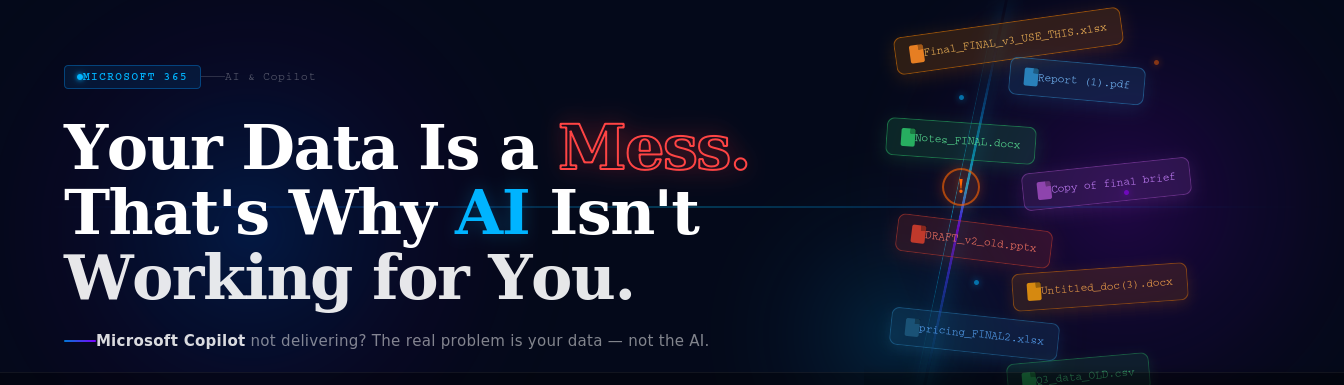
Every week, another business buys Microsoft Copilot. Every week, someone opens it up, asks a question about their own company — and gets a vague, wrong or completely useless answer.
Then comes the frustration. The IT ticket. The meeting where someone says “maybe AI just isn’t ready yet.”
Here is the truth most Microsoft partners won’t say out loud: the AI is ready. Your data is not.
Microsoft Copilot is one of the most powerful productivity tools ever built into a business software suite. It can summarise years of emails in seconds, draft reports from your own internal documents, surface insights you didn’t know existed. But it can only work with what you give it — and if that data is disorganised, duplicated, mislabelled and scattered across a dozen unmanaged locations, Copilot will reflect that chaos straight back at you.
This article covers what AI-ready data actually looks like, why most businesses aren’t there yet and the practical steps you can take inside Microsoft 365 to fix it.
68% of enterprise data is never analysed or used — Seagate / IDC. AI makes this problem visible, fast.
What Does AI Actually Do With Your Data?
Before fixing your data, it helps to understand what Copilot — and AI tools broadly — actually do when you ask them a question.When you ask Microsoft Copilot something like “summarise our Q2 sales performance” or “what did we agree with Client X last month”, it doesn’t search the internet. It searches your Microsoft 365 environment — your emails in Outlook, your files in SharePoint and OneDrive, your Teams conversations, your meeting recordings. It reads whatever it can access and synthesises an answer.
Two things determine the quality of every answer Copilot gives you:
- What data it can find — if files are buried in unstructured folders, named ‘Final_FINAL_v3_USE_THIS.xlsx’, or sitting on someone’s personal desktop rather than in SharePoint, Copilot cannot reach them.
- What data it is allowed to see — if permissions are poorly managed and sensitive files are over-shared, Copilot will surface information to people who should never have seen it. This is not a theoretical risk. It has already happened at large organisations after Copilot deployments.
Getting your data right isn’t optional. It’s the entire foundation.
The 5 Data Problems That Break AI in Microsoft 365
1. Files Are Everywhere (Except Where They Should Be)
Desktop. Downloads folder. Email attachments. An old file server. A SharePoint site nobody has touched in three years. A Teams channel someone created during lockdown and abandoned. Sound familiar?
Copilot can’t search what it can’t find. It works best — by a significant margin — when documents live in organised SharePoint libraries with consistent folder structures and meaningful file names. If your business has grown organically and never enforced a filing convention, this is your single biggest problem.
Rule of thumb: If a new employee could not find a document in under 60 seconds without asking someone, your data structure is working against your AI investment.
2. Permissions Were Set Up Once and Never Reviewed
Who can access your HR salary files? Your client contracts? Your board minutes? If your honest answer is “I’m not sure” or “probably more people than should”, you have a permissions problem — and it becomes a critical one the moment you turn on Copilot.
In many organisations, SharePoint sites were created with default settings and nobody ever tightened access controls. Files were shared via link “just this once” and those links were never revoked. Groups were created with broad access and never audited.
Copilot honours Microsoft 365 permissions exactly. If a junior employee has read access to a sensitive folder — even accidentally — Copilot will surface that content in responses visible to them. Getting permissions right before enabling Copilot isn’t optional. It’s the responsible thing to do.
3. Duplicate and Outdated Content Is Everywhere
“Which version is the current one?” is a question no AI should have to answer — but in most Microsoft 365 environments, it is a genuine problem. Multiple versions of the same document. Old policies from 2019 that were never deleted. Spreadsheets with ‘DRAFT’ in the name sitting alongside final versions. Archived project folders mixed in with active work.
When Copilot encounters three versions of your pricing document, it doesn’t know which one is current. It will attempt to synthesise across all of them. The result is at best confusing, at worst dangerously wrong.
73% of organisations report having significant volumes of redundant, obsolete, or trivial (ROT) data in their Microsoft 365 tenants — Gartner.
4. There Is No Metadata or Consistent Naming
Metadata is the invisible layer that makes data searchable and useful. Document type. Date. Department. Client. Project. Status. In a well-managed SharePoint environment, these properties are filled in consistently. In most real-world environments, they don’t exist at all.
Without metadata, search — whether by a human or an AI — relies entirely on file names and content. When your files are called things like ‘Notes.docx’, ‘Report (1).pdf’, or ‘Copy of final brief’, you’re asking Copilot to navigate a labyrinth with no signposts.
5. Nobody Owns the Data
This is the root cause of every problem above. In most organisations, nobody is formally responsible for the quality, structure and governance of Microsoft 365 data. IT set it up and handed it over. Individual teams manage their own areas inconsistently. Nobody reviews, archives, or cleans up.
AI doesn’t forgive ungoverned data. If anything, it amplifies the problem — surfacing inconsistency, duplication and access chaos faster and more visibly than any human ever would.
How to Get Your Data AI-Ready: The Practical Roadmap
The good news: you don’t need to fix everything before you start benefiting from AI. You need to fix the right things, in the right order.
Step 1 — Run a Data Audit
Before you can fix your data, you need to know what you have. Microsoft 365 includes built-in tools to help:
- Microsoft Purview Content Explorer — shows you exactly what sensitive data exists across your tenant and where it lives.
- SharePoint Admin Centre — gives you a view of all sites, storage usage, and sharing settings across your organisation.
- Microsoft Secure Score — flags data governance and permissions risks alongside security issues.
At AWInfrasec, we run a structured M365 Data Readiness Assessment for clients preparing for Copilot. In most cases, it takes less than a week and gives you a clear, prioritised picture of what needs to change.
Step 2 — Establish a Single Source of Truth
Everything that matters to your business should live in SharePoint Online — not on desktops, not in personal OneDrive folders, not in email attachments. Build a clear site structure that mirrors how your business actually works: by department, by client, by project — whichever makes sense. Then enforce it.
You don’t need to migrate everything at once. Start with live, active documents. Archive the rest. Even a partial clean-up delivers disproportionate results for AI performance.
Step 3 — Fix Permissions, Top to Bottom
Apply the principle of least privilege: every person should have access to exactly what they need for their role and nothing more. Audit your SharePoint sites and document libraries. Remove broad sharing links. Assign access through Microsoft 365 Groups rather than individual user permissions — it’s far easier to manage at scale.
If you’re planning a Copilot rollout, treat this step as non-negotiable. Don’t skip it to save time.
Step 4 — Archive and Delete the Rubbish
ROT data — Redundant, Obsolete and Trivial — is the enemy of useful AI. Go through your document libraries and be ruthless. Old project folders from completed work should be archived and clearly labelled as such. Draft files that were superseded should be deleted. Duplicate documents should be consolidated into one authoritative version.
Less is genuinely more when it comes to AI. A lean, accurate dataset produces far better Copilot results than a sprawling, messy one.
Step 5 — Introduce Metadata and Naming Conventions
You don’t need to go overboard. Even a handful of consistent metadata columns in SharePoint — Document Type, Department, Status, Year — dramatically improves Copilot’s ability to find and contextualise information. Pair this with a simple file naming convention (Date_ProjectName_DocumentType_Version) and you’ll notice the difference immediately.
Step 6 — Assign Data Ownership
Every area of your Microsoft 365 environment should have a named owner — someone accountable for keeping that area organised, reviewing access periodically and archiving completed work. This doesn’t require a full-time data governance team. It requires a simple RACI and the discipline to follow it.
This is exactly the work AWInfraCloud does with clients before a Copilot deployment. Getting data governance right first means the AI delivers value from day one — not after months of disappointment.
What AI-Ready Data Looks Like in Practice
Here’s the difference between a business that’s ready for Copilot and one that isn’t:
Not AI-ready:
- Files scattered across personal drives, email attachments, and a neglected SharePoint.
- Permissions set on day one and never reviewed.
- Dozens of versions of the same document with no clear “current” file.
- No metadata, inconsistent naming, no filing conventions.
- Nobody owns the mess.
AI-ready:
- All active documents in structured SharePoint libraries, named consistently.
- Permissions managed by role via Microsoft 365 Groups and reviewed quarterly.
- Single authoritative version of every document, with old versions archived
- Metadata columns completed, enabling search by type, project, and date.
- Named data owners per department, accountable for their areas.
The businesses that get the most from Microsoft Copilot aren’t the ones with the biggest AI budgets. They’re the ones that did the unglamorous work of getting their data house in order first.
Not Sure Where Your Data Stands?
AW Infrasec Solution offers a Microsoft 365 Data Readiness Assessment — a structured, expert review of your M365 environment that tells you exactly what’s holding your AI ambitions back and what it would take to fix it.
Book a Free M365 Data Readiness Assessment
Find out if your data is truly ready for AI — before investing in Microsoft Copilot.
Our experts will review your Microsoft 365 environment, data structure and security readiness to help you maximize the value of AI.
To get started, simply click the “Contact Us” button in the footer and schedule your free consultation.