The Silent Data Leak: Why Your Copilot Needs a DLP Strategy
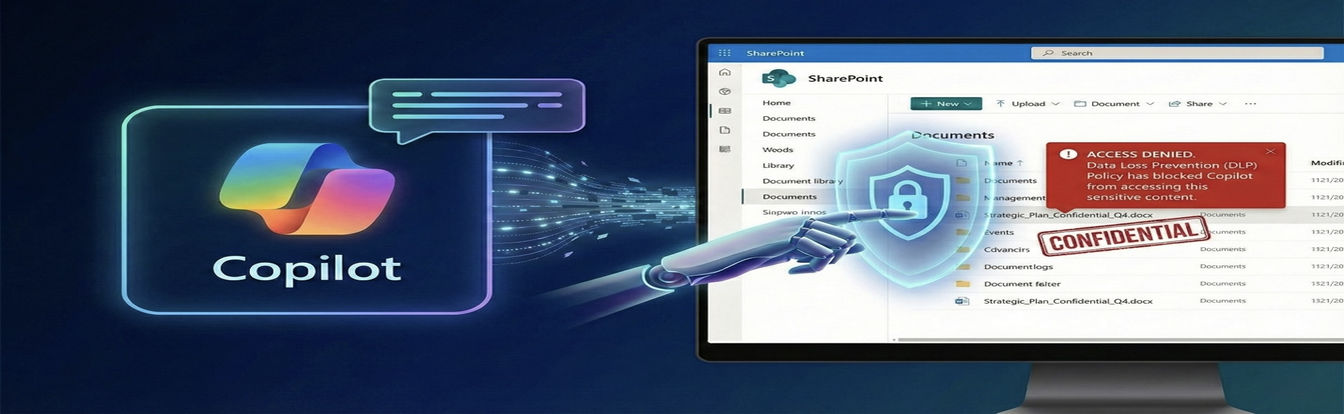
Organizations deploying Microsoft Copilot have gained a powerful productivity tool — but they have also introduced a new and largely invisible data risk: the authorized overshare. Copilot can surface sensitive information that users technically have access to but would never discover through normal search behaviour. Understanding this risk and building a DLP strategy to address it is essential before broad Copilot deployment.
Understanding the Authorized Overshare
Traditional data leakage scenarios involve unauthorized access — someone accessing files they should not have permission to see. The authorized overshare is different and more subtle. It occurs when a user asks Copilot a question and the AI surfaces content they technically can access but had no practical way of finding before AI-powered search existed.
Consider a junior team member who asks Copilot "what is the executive team's compensation structure?" Without AI, that user would never find that document because they would not know what to search for, where to look, or even that the document existed. With Copilot, if the relevant document is broadly accessible in SharePoint, the answer surfaces immediately.
This risk is amplified by years of broad sharing practices in many organizations. Folders shared with "Everyone," SharePoint sites with wide access, and documents never restricted beyond initial creation mean that technically accessible content spans far beyond what any individual user would normally encounter.
The Solution: Microsoft Purview Data Loss Prevention
Microsoft Purview Data Loss Prevention (DLP) creates protective policies that operate independently of basic file permissions. Where permissions control who can see a file in a file browser, DLP policies control how content can be used — including whether Copilot can reference it in responses.
By applying DLP policies scoped to Microsoft 365 Copilot, organizations can prevent the AI from surfacing content that carries specific sensitivity labels, regardless of whether the user technically has read access to the underlying file.
Configuring Copilot DLP Policies: Step by Step
- Access the Microsoft Purview compliance portal at compliance.microsoft.com and navigate to Data loss prevention > Policies
- Select Create policy and choose Custom policy to configure a policy specifically for Copilot
- Under locations, target Microsoft 365 Copilot as the specific service (available in the extended locations list)
- Define rules based on sensitivity labels — for example, a rule that applies to any content labelled "Highly Confidential" or "Restricted"
- Configure the rule action to instruct Copilot to refuse to process content matching those sensitivity conditions when generating responses
- Save and publish the policy — allow approximately 24 hours for policies to synchronise across the tenant
Prerequisites: Sensitivity Labels Must Be in Place
DLP policies for Copilot are only as effective as your sensitivity label coverage. If content is not labelled, the policy has nothing to act on. This means Copilot DLP works best in organizations that have already implemented Microsoft Purview sensitivity labels across their content estate.
If your organization has not yet deployed sensitivity labels, a phased approach makes sense: begin with auto-labelling policies in Purview to classify existing content, then layer Copilot DLP policies on top of established label coverage.
Testing Before Rollout
Configure DLP policies in simulation mode before activating enforcement. Simulation mode shows you what actions the policy would take without actually blocking content — giving you visibility into the scope of impact and allowing you to refine rules before they affect end-user productivity.
Test with a pilot group of users across different roles to validate that the policies are preventing unauthorized surfacing of sensitive content while allowing legitimate use cases to function normally.
Conclusion
Microsoft Copilot's power comes precisely from its ability to surface relevant information across your entire organizational data estate. Managing that power responsibly requires DLP policies that reflect your data classification strategy, not just the permission model inherited from years of broad sharing practices.
Organizations that deploy Copilot without a DLP strategy are accepting a risk that is genuinely difficult to audit or detect — the silent data leak is called silent for a reason. AW InfraSec specializes in Copilot governance, sensitivity labelling, and DLP policy design for Microsoft 365 environments.