Automate User Access with Microsoft Entra ID Access Packages
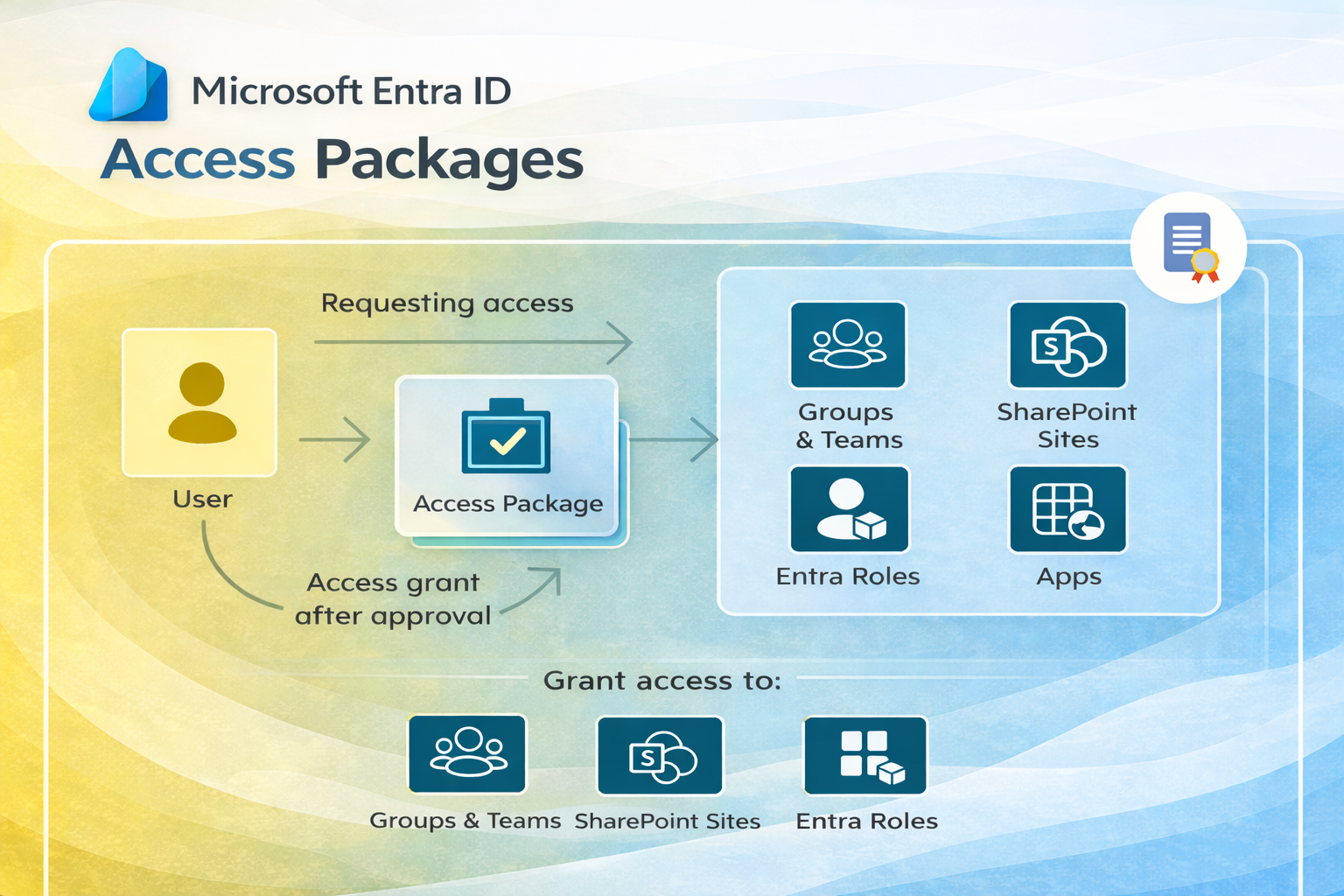
Managing who has access to what creates a massive administrative burden in modern organizations. Every new employee, contractor, vendor, or project team member requires access to a different combination of systems, applications, and data. Configuring this access manually — across Teams, SharePoint, Microsoft 365 applications, and line-of-business systems — is slow, error-prone, and difficult to audit.
Microsoft Entra ID Governance's Access Packages feature provides a systematic solution: a structured way to bundle, request, approve, and expire access across multiple resources simultaneously.
What Are Access Packages?
An Access Package is a bundle of all the resources a user needs to work on a project or perform a role, rather than assigning permissions individually across multiple systems. Instead of an IT administrator manually adding a new project manager to five SharePoint sites, three Teams channels, and two applications, the project manager requests the "Project Manager" Access Package and receives all required access through a single, governed workflow.
Key Concepts
- Catalog — A container for grouping related resources and access packages. Organizations typically create catalogs aligned to business units or project categories
- Policy — Rules governing who can request access, what approval is required, and when access expires. A single access package can have multiple policies for different requestor groups (internal employees vs. external partners, for example)
- Access Reviews — Periodic reviews requiring approvers or resource owners to confirm that existing access assignments remain appropriate
Prerequisites
To create and manage Access Packages, your account requires one of the following roles in Microsoft Entra:
- Identity Governance Administrator
- Catalog Owner (for catalog-scoped operations)
- Access Package Manager
Access Packages require Microsoft Entra ID Governance licensing, which is included in Microsoft Entra ID P2 and the Microsoft Entra ID Governance add-on.
Implementation Steps
Step 1: Initialize
Access the Microsoft Entra admin center at entra.microsoft.com and navigate to ID Governance > Entitlement management > Access packages. Select New access package to begin the creation wizard.
Step 2: Configure Basics
Provide a clear, descriptive name and a description that employees will see when browsing available access packages. The description should explain what access the package grants and who it is intended for. Select the appropriate catalog to house the package — if no suitable catalog exists, create one aligned to the relevant business unit or project domain.
Step 3: Select Resource Roles
Add each resource the package should grant access to:
- Groups and Teams — Select Microsoft 365 groups or Teams, specifying whether users should be added as Members or Owners
- Applications — Add enterprise applications registered in Entra ID, assigning the appropriate role within each application
- SharePoint Sites — Add SharePoint Online sites with specific permission levels (Read, Edit, Full Control)
A single Access Package can bundle any combination of these resource types, granting comprehensive role-appropriate access through a single request.
Step 4: Define Requests and Policies
Configure who can request this access package and under what conditions:
- Internal users — Allow employees in your directory to self-request access, with or without manager approval
- External B2B partners — Allow specific external organizations or individual guests to request access
- Administrator only — Restrict requests to administrators for sensitive access packages
For each requestor group, configure the approval workflow (one or two-stage approval, with designated approvers or automatic approval), access duration (time-limited or ongoing with periodic review), and whether users can re-request access after it expires.
Benefits at Scale
Access Packages transform identity governance from a manual, reactive process to an automated, self-service model:
- Automation — Self-service requests eliminate IT tickets for routine access provisioning; approvers receive notifications and can approve from email or the access portal
- Enhanced security — Automatic access expiration prevents permission accumulation; Access Reviews ensure ongoing appropriateness
- Operational efficiency — Onboarding a new employee to all required systems can be completed with a single Access Package assignment rather than dozens of manual steps
- Audit readiness — Entitlement management provides a complete history of every access request, approval, and assignment across your environment