7 Signs Your Business Has Outgrown Its IT Setup (And What to Do About It)
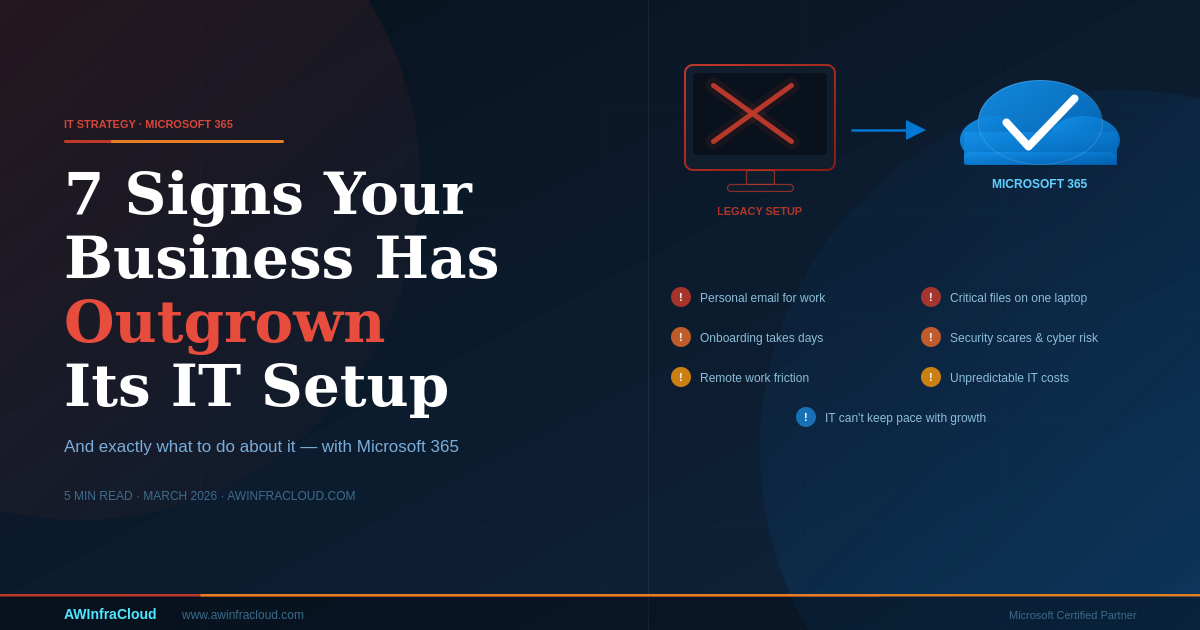
Growing businesses often experience gradual IT infrastructure degradation. It rarely happens overnight — instead it manifests as sluggish devices, misplaced documents, frustrated employees, and mounting support costs. The good news is that the warning signs are obvious once you know what to look for.
Here are seven clear indicators that your IT setup has become a constraint on your business — and what to do about each one.
1. Staff Are Using Personal Email for Work
When employees send client proposals from their Gmail or vendor invoices arrive in a Hotmail inbox, it signals that your organization lacks a properly provisioned business email environment. This creates compliance risks — emails containing sensitive information are outside your control and cannot be audited, retained, or recovered under a data breach scenario.
What to do: Microsoft 365 Business Basic or Standard provides professional email hosting on your domain, with 50GB mailboxes, Teams integration, and built-in compliance archiving.
2. Critical Files Live on Someone's Laptop
If your most important business documents — contracts, financial records, client data — exist only on an individual's local drive, your business continuity depends on that person's hardware not failing. A single hard drive crash or stolen laptop could mean permanent data loss.
What to do: Microsoft SharePoint Online and OneDrive for Business provide centralized, cloud-hosted storage with automatic versioning, access control, and 99.9% uptime SLA.
3. Onboarding a New Employee Takes Days
If setting up a new starter involves manually creating accounts across multiple systems, configuring each application individually, and waiting on IT to provision hardware, your identity management infrastructure is holding you back. Modern onboarding should take hours, not days.
What to do: Microsoft Entra ID (formerly Azure AD) with automated provisioning via lifecycle workflows can create accounts, assign licenses, and grant role-based access across all connected applications in minutes.
4. You Have Had Security Incidents
Phishing attacks and ransomware incidents have risen by over 300% since 2020. The average cost of a data breach for an SMB now exceeds £25,000 — and that figure excludes reputational damage and regulatory penalties. If your organization has experienced any security incident, or if you cannot confidently answer questions about who has access to what data, your security posture needs immediate attention.
What to do: Microsoft Defender for Business provides enterprise-grade endpoint detection and response at SMB pricing. Combined with Microsoft Entra ID's Conditional Access and MFA, it dramatically reduces your attack surface.
5. Remote Work Causes Friction
If your team struggles with VPN connectivity, cannot access line-of-business systems from home, or requires specific office hardware to do their job, your infrastructure was designed for a world that no longer exists. Location-dependent IT creates productivity losses and limits your ability to attract talent from wider geographies.
What to do: Microsoft 365's cloud-native architecture means any authorized device, anywhere, can securely access email, documents, and collaboration tools — no VPN required. Conditional Access policies ensure this happens securely.
6. IT Costs Are Unpredictable
Legacy infrastructure creates surprise costs: unexpected hardware failures, emergency software license renewals, reactive support incidents. When you cannot forecast your IT expenditure reliably, it creates budget planning problems and often means you are underinvesting in security.
What to do: Microsoft 365 subscription pricing converts capital expenditure to a predictable per-user, per-month operating cost. Organizations typically see 20–35% IT cost reduction within eighteen months of migration, driven by reduced hardware refresh cycles and consolidated licensing.
7. You Cannot Scale Quickly
If opening a new office, onboarding a new team, or launching a new product requires weeks of IT preparation, your infrastructure is constraining your growth velocity. Scaling should be a configuration change, not an infrastructure project.
What to do: Cloud-native Microsoft 365 and Azure infrastructure scales elastically. Adding fifty users takes minutes. Opening a new geographic location requires no additional hardware procurement or network provisioning.
The Solution Framework
All seven of these issues share a common root cause: infrastructure designed for a smaller, simpler business that has not evolved with your growth. Microsoft 365 addresses each of them through a cloud-native architecture that provides enterprise-grade security, collaboration, and management capabilities at a price point accessible to growing businesses.
AW InfraSec offers free IT assessments and fixed-price migration consulting for businesses ready to modernize. We will baseline your current environment, identify the highest-impact improvements, and build a migration plan that fits your timeline and budget.